
Best AI Video Generator Free: 10 Tools Worth Testing
Hey, my friends. I'm Dora. Recently, I tested 14 AI video tools over two weeks.
Ten made the cut for "best ai video generator free" because they saved me real time on real posts. While testing them, I also compared a few CapCut alternatives to see which tools actually fit a fast posting workflow.
I'm not a filmmaker: I'm a creator who needs fast, repeatable outputs that don't tank quality. I measured what matters: render speed, credit burn, export limits, and how much cleanup I had to do after. Let's have a look.
What “Free” Really Means in AI Video Tools
Free isn't one thing, it's three flavors that behave very differently in a fast-paced posting schedule.
Free plans vs free trials
Always-free plans: Usually watermarks, lower resolution caps, or daily credit limits. Good for testing pacing and style. Bad for client work unless the watermark is acceptable. Examples: CapCut (free plan with many AI features), Canva (free with Brand/quality limits), VEED (free with watermark).
Free trials (one-time credits): Great to stress-test a workflow in a single sprint. Useless for ongoing daily posting unless you plan to pay after. Examples: Runway (free credits), HeyGen (trial credits), InVideo (free with watermark until upgrade).
"Free if you self-host": Open models you can run locally or via a notebook. Powerful, but setup time eats your posting window. Example: Stability AI's Stable Video Diffusion. I got solid results, but the friction means it's not my daily driver unless I batch on weekends.
What to Compare Before You Test Any Tool
If you only check two things before you click "Generate," make it these. Many creators today are comparing AI agents vs AI video generators to decide whether automation or generation saves more time.
Output quality and speed
Fidelity: Look at motion coherence (hands, hair, text on objects), temporal flicker, and how well it respects your prompt or storyboard. I score 0–5. Tools that hit 4+ save me 20–30 minutes of cleanup.
Speed: Under 60 seconds for a 5–8s shot is my bar for daily use. Over 2 minutes? I'll only use it for hero shots. In my March tests: CapCut template renders averaged 18–30s: Runway Gen-3 Alpha clips (6s) averaged 42–65s on free credits: Pika was 35–50s for 4–6s.
Consistency: Can it replicate a style across 5–10 variations? Single "lucky" generations don't help your batch day.
Credit systems and export restrictions
Credits per clip: Typical free tiers give 5–20 short clips/day. Check whether upscales or re-generations also burn credits. Runway charges per gen and upscale: Pika charges per generation: HeyGen burns on avatars and exports.
Resolution caps: Many free exports lock to 720p or 1080p. If your platform feed compresses anyway (e.g., TikTok), 1080p is fine. For YouTube Shorts, 1080p is still acceptable.
Aspect ratios: If 9:16 isn't supported on free, skip. Reframing in post kills your time savings.
10 Free AI Video Generators Compared
Below are the 10 I actually kept after tossing four that wasted my time.
Best for text-to-video
Runway (Gen-3 Alpha)
Why I keep it: Most coherent motion for short hero clips: prompts respect camera moves (dolly-in, whip pan) better than peers.
Free reality: Trial credits only. My test: 6s at 1024×576, 54s render, 1 credit. Quality 4.5/5.
Caveat: You'll burn through credits fast if you iterate.
Pika
Why I keep it: Balanced quality, easy re-rolls, strong text-to-video and image-to-video in one place.
Free reality: Daily credits: 4–6s clips in ~40s. Quality 4.2/5.
Caveat: Style can drift: add negative prompts for hands/faces when possible.
Kaiber
Why I keep it: Good at stylized music visuals from text prompts: consistent vibe across a batch.
Free reality: Limited trial: watermark on free. 6–8s in ~60–80s. Quality 4.0/5.
Caveat: Less literal to text: better for mood than instruction.
VEED Text-to-Video
Why I keep it: Dead-simple script-to-storyboard to export in 9:16: fast for rough explainer drafts.
Free reality: Watermark. 15s draft in ~25s, then light edits. Quality 3.7/5 for AI visuals: 4.2/5 if you pair it with stock.
Caveat: Best when you combine generated b‑roll with real clips.
Best for image-to-video
Luma Dream Machine
Why I keep it: High-fidelity motion from stills: camera moves feel cinematic.
Free reality: Queue-based free runs: 5s at 1024 on free queue took 3–6 minutes. Quality 4.6/5.
Caveat: Queue time spikes during US evenings. I batch overnight.
PixVerse (Discord)
Why I keep it: Quick iterations: strong anime/stylized motion from images.
Free reality: Free channel quotas: 4–5s in ~30–45s. Quality 4.1/5.
Caveat: Discord UX is chaotic: save seeds when you like a look.
Stability AI, Stable Video Diffusion
Why I keep it: Free if you run locally: great control if you're comfortable with settings.
Free reality: Setup time cost. On my local notebook, 14–18s per frame at 576p: 3s clip took ~45–55s. Quality 4.0/5 with good CFG/timing.
Caveat: Not plug-and-play. Worth it only if you love tinkering.
Best for marketing clips
CapCut (Desktop/Web)
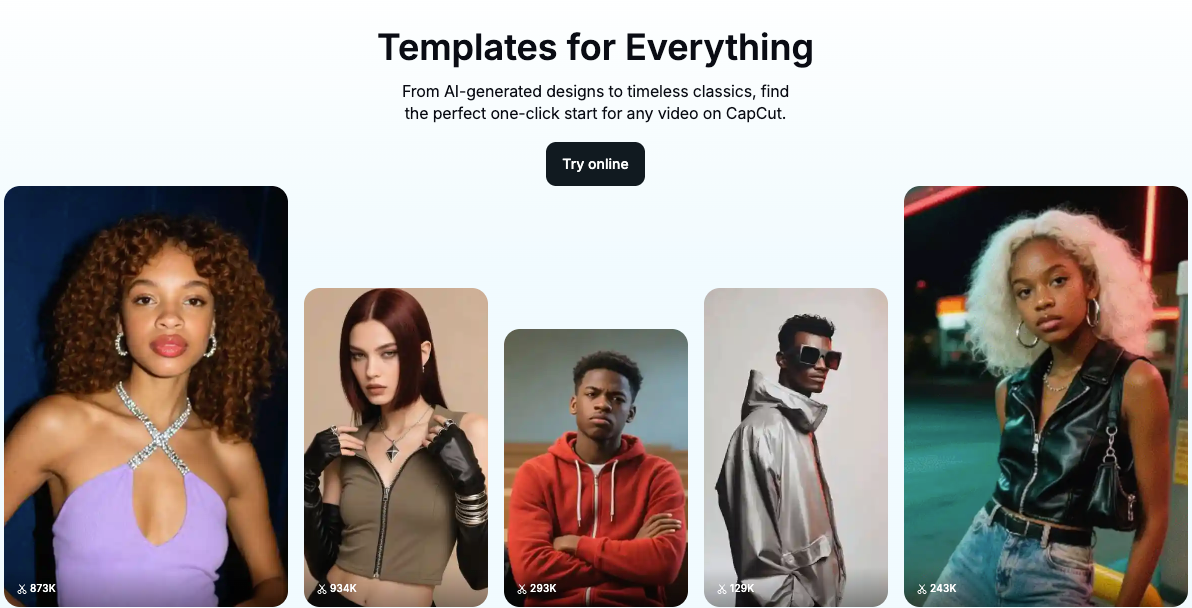
Why I keep it: Real-world speed. Template + Auto Captions + Beat Sync = two Shorts in 12 minutes.
Free reality: Many AI features are free: minimal or no watermark depending on assets. My test: 20–30s renders for 7–12s edits. Quality 4.2/5.
Caveat: Text-to-video is basic. Think "smart editor," not pure generator.
Canva Video
Why I keep it: Templates + script-to-scenes + brand kits (even on free, limited). Great for product explainers and UGC mockups.
Free reality: 1080p exports on free: some assets paid: AI video features improving. My test: 9:16 15s in ~20s. Quality 3.9/5 (with stock), 3.5/5 for pure AI visuals.
Caveat: Watch for asset licensing: swap paid with free alternatives.
InVideo
Why I keep it: Fast social-ready formats: text-to-video that actually respects pacing.
Free reality: Exports have watermark on free. 15s in ~30–40s. Quality 3.8/5.
Caveat: Watermark is prominent: good for drafting, not publishing.
My quick benchmark scene (used across tools): a 5s "coffee steam rising on a countertop, morning light, shallow depth of field." Best motion realism: Luma and Runway. Fastest publishable workflow for social: CapCut + stock b‑roll + auto captions.
Who Each Tool Is Best For
Beginners
Start with CapCut or Canva. I didn't know how to edit either, until I discovered that templates + auto captions cover 80% of what clients actually notice. You'll ship same-day and learn pacing by osmosis.
If you're curious about pure generation, try Pika. It's friendly, iterations are fast, and you'll see what prompts do without touching node graphs.
Avoid local installs (Stable Video Diffusion) at first. Setup will steal your weekend.
Creators and marketers
Need a hero shot for a hook? Use Runway or Luma for one or two clips, then build the rest in CapCut. Where I truly save time is rough cuts and structural automation, something that's becoming common in modern AI video editing workflows.
Batch day plan that worked for me (10 videos in 2.5 hours):
CapCut: Import script snippets, auto caption, beat sync (40–50 min for 10).
Pika or Runway: Generate 2–3 hero b‑rolls total (15–20 min, including re-rolls).
Canva: Thumbnails and title cards (20 min).
Export, upload, schedule (40 min). Real savings vs my old manual flow: ~85 minutes.
Trade-Offs to Know Before You Commit
Quality vs convenience
The best-looking motion (Luma, Runway) often costs credits or time queues. For daily posting, I only use these for 1–2 shots per video. Everything else: CapCut + stock + minimal effects. That combo looks 90% as good and saves me 30+ minutes per post.
Stylized vs literal: Kaiber and PixVerse nail style but wander from exact instructions. If you need literal product shots, anchor with real footage and use AI as b‑roll texture.
Free usage vs real repeatability
Free tiers are perfect for proof-of-concept, not for a 30-day content calendar. I tested each tool on three consecutive days. By Day 3, I hit a wall on half of them, either credits reset too slowly or queues got long post‑work hours.
If your workflow depends on re‑rolls (most do), factor retries into your credit math. My rule: plan 3–5 generations per final accepted shot. If free gives you 10/day, that's 2–3 keepers max.
Watermarks: Fine for trend tests. For client work or ads, watermarks are a non-starter. Budget accordingly.
Final Picks by Use Case
Here's exactly what I'd use if I had to post five pieces today without paying a dime.
Fastest social-ready workflow (shorts/reels): CapCut for assembly + auto captions: use Canva for a hook card: drop in 1 Pika hero shot. Ship time per video: 12–18 minutes.

Best ai video generator free for hero b‑roll: Runway (trial credits) or Luma Dream Machine (free queue). I got the cleanest 6s shots here.
Best for image-to-video stylization: PixVerse (Discord) for anime/stylized: Pika for a more balanced look.
Best for script-to-video explainers: VEED or InVideo to rough it in minutes, then polish in CapCut. Expect watermarks on free.
Best if you like tinkering weekends: Stable Video Diffusion. Free and powerful, but not a weekday tool for me.
If you're drowning in deadlines, start simple: CapCut + one generator (Runway or Pika) + Canva titles. Worth trying if you're in the same boat I was.